Enterprise Search AI
When the information already exists but nobody can find it, the work stops. AI enterprise search finds it across documents, file shares, cloud drives and business systems, understands what was asked, and returns the passage the person is allowed to see.
Enterprise Search Solutions
Employees lose hours re-finding documents that already exist. Enterprise search connects those repositories into one place to ask, and the answer comes back with its source attached.

Unified Discovery
Bring local drives, network portals and cloud repositories into one index, so a single question reaches all of them instead of someone opening each system and searching it separately.
Connected Systems
Results follow the permissions each repository already holds, so people see what they could open anyway, and no second copy of your content has to sit in another store.
Intelligent Access
Ask a question of a two-hundred-page contract or report and get the paragraph that answers it, with a link back to the page it came from, instead of reading the whole document.
Semantic Search
People rarely search with the words a document was written in. Matching on meaning finds the right material even when the phrasing does not line up.

Intent Recognition
Work out what someone is actually asking for, so a question phrased as a sentence finds the right material instead of returning nothing.
Context Understanding
Take the asker's team, project and role into account, so two people searching the same words get the results that matter to each of them.
Meaning-Based Results
Find documents that use different words for the same thing, including translated versions, without anyone maintaining a list of synonyms by hand.
Vector Search
Keyword matching ranks by how often a word appears. Ranking on meaning puts the passage that answers the question at the top instead.

Contextual Matching
Passages are indexed by what they mean, not by the words they contain, so a search finds the right section however it happens to be worded.
Similarity Search
A question is compared against the prepared index rather than against every file, which is what keeps response times workable as the estate grows.
Intelligent Ranking
Order what comes back by how well it answers the question, how recent it is and who the asker is, so the useful result is not on page three.
Knowledge Graphs
A document on its own rarely answers the question. Mapping how documents, projects, people and processes relate lets a search follow those links.
Connected Knowledge
Link a specification to the project it belongs to and the team that wrote it, so one result leads to the rest of the story rather than a dead end.
Entity Relationships
Record how things relate, such as owned by, supersedes or audited against, so a search can ask which policy a procedure reports to.
Context Awareness
Weigh which department a person works in and how recent a record is, so an active procedure ranks above the version it replaced.
RAG Architecture
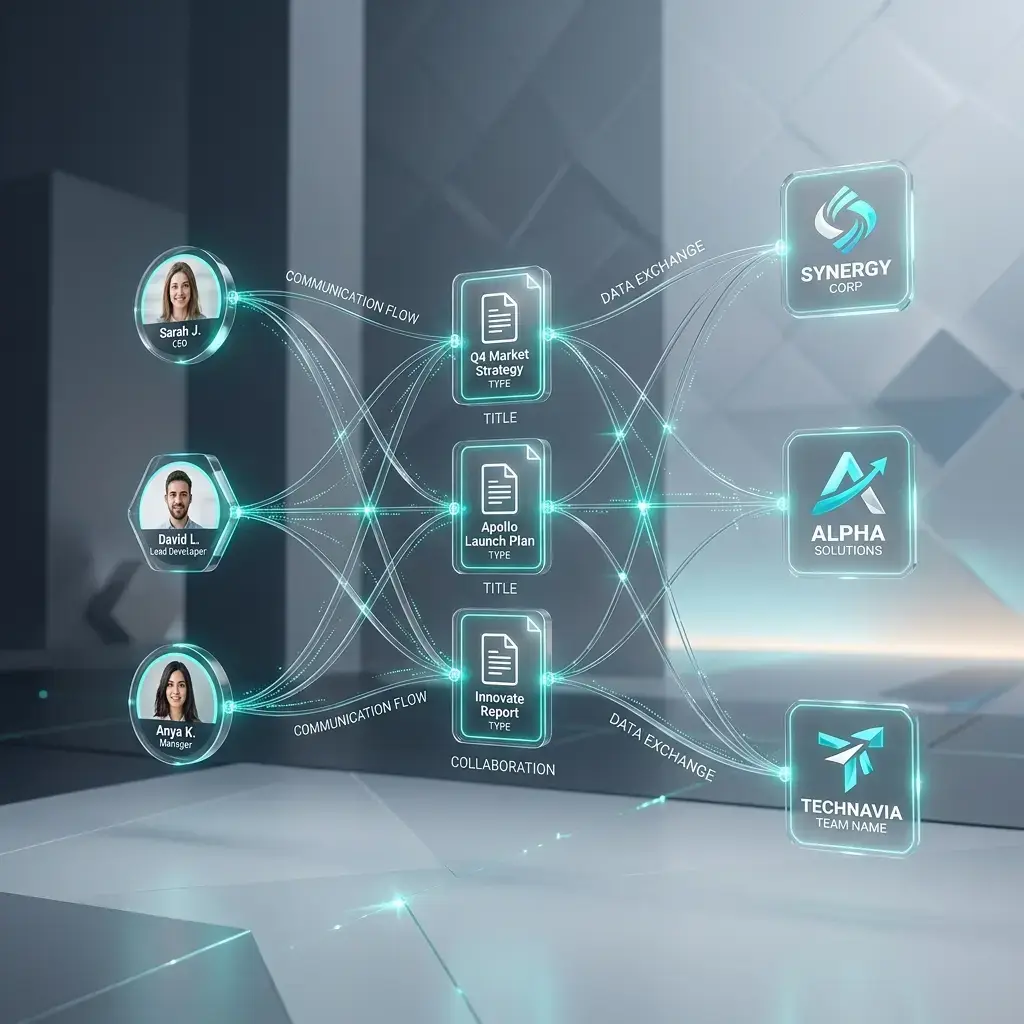
A model on its own answers from what it was trained on. Retrieval-augmented generation makes it answer from your documents, and show which ones it used.
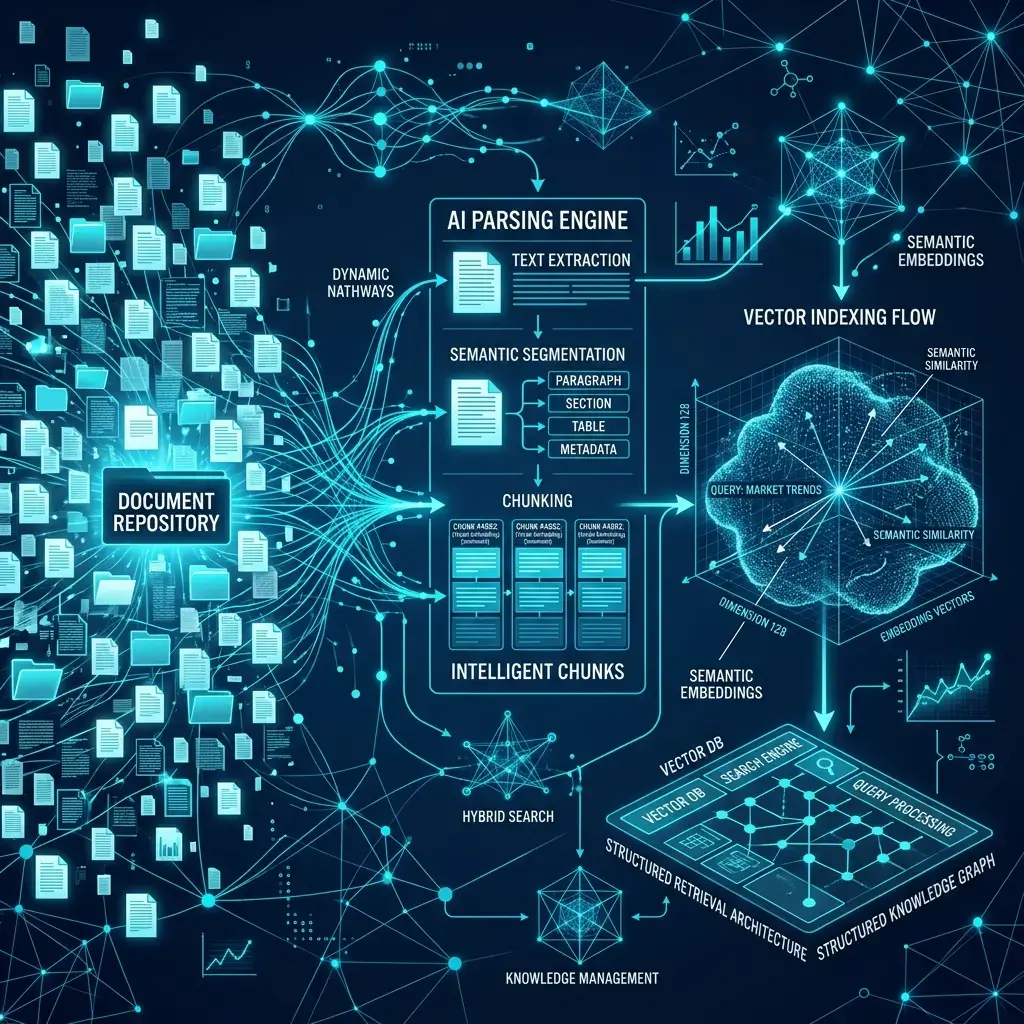
Find the Right Passages
Pull the passages most likely to answer the question from the connected portals, drives and file servers, filtered to what the person is allowed to see.
Permission checks, meaning-based matching, live indexing.
Only permitted material is retrieved.
Search does not return a document the person could not already open.
Connected Repositories
Connect enterprise search across multiple repositories, collaboration systems, and document platforms.
Unified Access
One question runs against every connected repository at the same time.
Results are filtered to what each person can already open in the source repository.

One Central Index
One index holds where a document lives, how recent it is and how it relates to others.
Rank content dynamically based on relevance, authority, recency, and user context.

SharePoint
Unlock knowledge stored across enterprise collaboration sites, internal portals, and organizational documentation.
Directory Parsing
Index document libraries, site pages and lists in place, without copying them somewhere else.
Version Integration
Track design revisions, folder uploads, and document edits dynamically to surface the latest files.
ShareFile
Discover and retrieve business-critical information from secure file-sharing environments.

Audit Trails
Index contract and client folders in place, with their access rules intact.
Permission Locks
Indexing follows the directory groups the repository already uses, so permissions are not maintained twice.
External Access
Shared workspaces can be indexed where they sit, without moving or restructuring the repository behind them.
Google Drive
Access distributed cloud content through a unified search experience powered by AI-driven understanding.
Live Webhook Sync
Re-index automatically when content changes.
Thread Indexing
Index comment chains and edit histories to map decision context.


OneDrive
Surface relevant files, documents, and shared knowledge from enterprise storage environments.
Office Integration
Search Word, Excel and PowerPoint files together.
Shared File Mapping
See which shared files are being used across teams.

Dropbox
Connect shared content and business information through intelligent retrieval and contextual discovery.
Sync Automation
Folder changes are picked up without manual work.
Secure Metadata Exchange
Handle file metadata without moving the files.
Local File Systems
Transform locally stored files, reports, manuals, and records into searchable organizational intelligence.
Internal Knowledge
Read PDF, CSV and CAD files inside your own network.
Document Discovery
Index server directories and network folders.
Secure Retrieval
Keep file access local to your own environment.

Enterprise Knowledge Search
What happens between the question and the answer: where results come from, how they are ordered, and how anyone can check them.

Retrieval From an Index
Answers come from a prepared index of the connected repositories, rather than from opening and scanning each system at the moment someone asks.
Indexed file paths, local caching, direct pointers.
Legacy records return with everything else.
Time spent re-finding documents is measured against your own baseline, not a benchmark from elsewhere.
Search in HR, Finance and Operations
The same retrieval layer, pointed at the documents each team actually works from.
HR and Policy Questions
The problem: the same policy questions reach HR every week, and the answer sits in a handbook nobody can navigate. Staff ask in plain language instead, and get the clause with a link to the page it came from.
Finance and Invoice Lookups
The problem: settling one query means opening the invoice, the purchase order and the approval in three different systems. One search returns all three together, linked to the record they belong to.

Operations and Field Manuals
The problem: the tolerance is on page three hundred of a manual, and the person who needs it is standing at the machine. The specification comes back as a passage, with the manual and page attached.
Answers From Your Own Content
Once the right passages are retrieved, a short written answer can be generated from them, with links to every document it used so the reader can check it.
Summaries With Sources
Summarise what the retrieved documents say and list them underneath, so the summary can be checked against the originals.
Saved and Repeat Searches
Searches that get run every week can be saved and re-run, so a recurring check does not start from a blank box each time.
Answers Within Scope
Answers are written from the documents the asker is allowed to see, and the system says plainly when the material is not there rather than filling the gap.

Secure Search and Access Control
Search reaches across everything you connect to it, which is exactly why access control matters more here than in most systems. Enterprise search does not decide who may see what; it carries the rules your repositories already hold through to the results, which is what makes searching across everything safe to switch on.
Data Access
Search reads from the repositories you connect, in place. Content is indexed for retrieval rather than copied into a separate store, unless you ask for that.
Permissions
Results are checked against the access rules the source system already holds, so a person sees in search what they could open directly, and nothing more.
Encryption
Data in transit and at rest is protected using the mechanisms your environment and the connected repositories provide, configured with your security team.
Governance
Queries and retrievals can be logged, so a later review can reconstruct what was asked, what was returned and who it went to.
What these terms mean here: a security feature is something the software does, such as filtering results against repository permissions. A governance capability is something your administrators control, such as what is logged and who may see it. Compliance support means helping you meet obligations you remain accountable for. Certification is issued by an auditor, not by a supplier, and nothing on this page claims one.
Enterprise Search AI FAQs
Find answers to common questions about AI-powered enterprise search, enterprise knowledge discovery, integrations, security, and deployment.
Enterprise Search AI helps employees find relevant information across business documents, knowledge bases, applications, and connected repositories using AI-powered search and contextual understanding.
Traditional enterprise search primarily relies on keyword matching and predefined indexing. Enterprise Search AI can use semantic understanding and contextual relevance to help users find information even when their query does not exactly match the wording in the source content.
It can work with supported business documents, knowledge repositories, databases, applications, and other connected enterprise information sources. The exact sources should depend on the integrations supported by the implementation.
Yes. Users can ask questions in natural language instead of relying only on exact keywords, allowing the search experience to focus on the meaning and context of the request.
Yes, where source attribution is supported by the implementation, results should provide a reference back to the relevant document or information source so users can verify the information.
Enterprise Search AI should preserve appropriate access controls so users only receive information they are authorized to access. The exact permission model depends on the connected systems and implementation.
It can be connected to supported enterprise systems and repositories through the available integration approach. The exact integrations should be presented based on what AppXcess actually supports.
It helps employees locate relevant information across distributed repositories, reducing the need to manually search multiple systems and helping teams access existing organizational knowledge more efficiently.
Yes, it can be designed for enterprise environments where information is distributed across multiple repositories, departments, and business systems. Deployment architecture should be based on the organization's data, security, scale, and integration requirements.
Security should include appropriate access controls, data protection, permissions management, and governance based on the organization's environment and connected systems.
Enterprise Search AI focuses primarily on finding and retrieving relevant information across enterprise repositories. Enterprise Intelligence goes beyond information retrieval by connecting enterprise data and knowledge with analytics and AI to support insights, recommendations, and business decisions.
Start by assessing your current information sources, search challenges, access requirements, integrations, and business use cases. AppXcess can then determine the appropriate Enterprise Search AI approach for the organization.
Make What You Already Have Findable
Tell us where your documents live and who is allowed to see them, and we will scope what it takes to put one search across them.
Search finds the information and returns it with its source. Enterprise Intelligence analyses the business data behind a decision, Data & AI builds the pipelines underneath both, Agentic AI acts on what is found, and the readiness assessment is where to start if none of it is in place yet.